Independent / creativeOS
A creative studio that compounds.
I designed and built an AI-powered design studio solo — from brief to prototype to editable Figma handoff. The home chat is purpose-built for structured strategy: inline question cards, a highlight-and-clarify layer I designed, and research plus behavioral data that lands while you keep working. Today it powers concepting and retention design for Oats Overnight’s lean team.
Product design · AI systems · Design ops · Solo build- designer and builder
- Solo
- Figma bridge
- 2-way
- multiplayer studio
- Local-first
Chat and critique interaction design, IA, agent orchestration, sync, and Figma bridge.
Push editable frames with rationale; pull craft back into the critique loop.
Attributed critique, git sync, and presence — without moving credentials to the cloud.
creativeOS is in daily use on Oats Overnight design work. Figures describe scope and architecture, not revenue. The story is told through the product UI below.
The studio, in motion
The studio, in motion.
Strategy, prototypes, critique, and handoff in one environment.
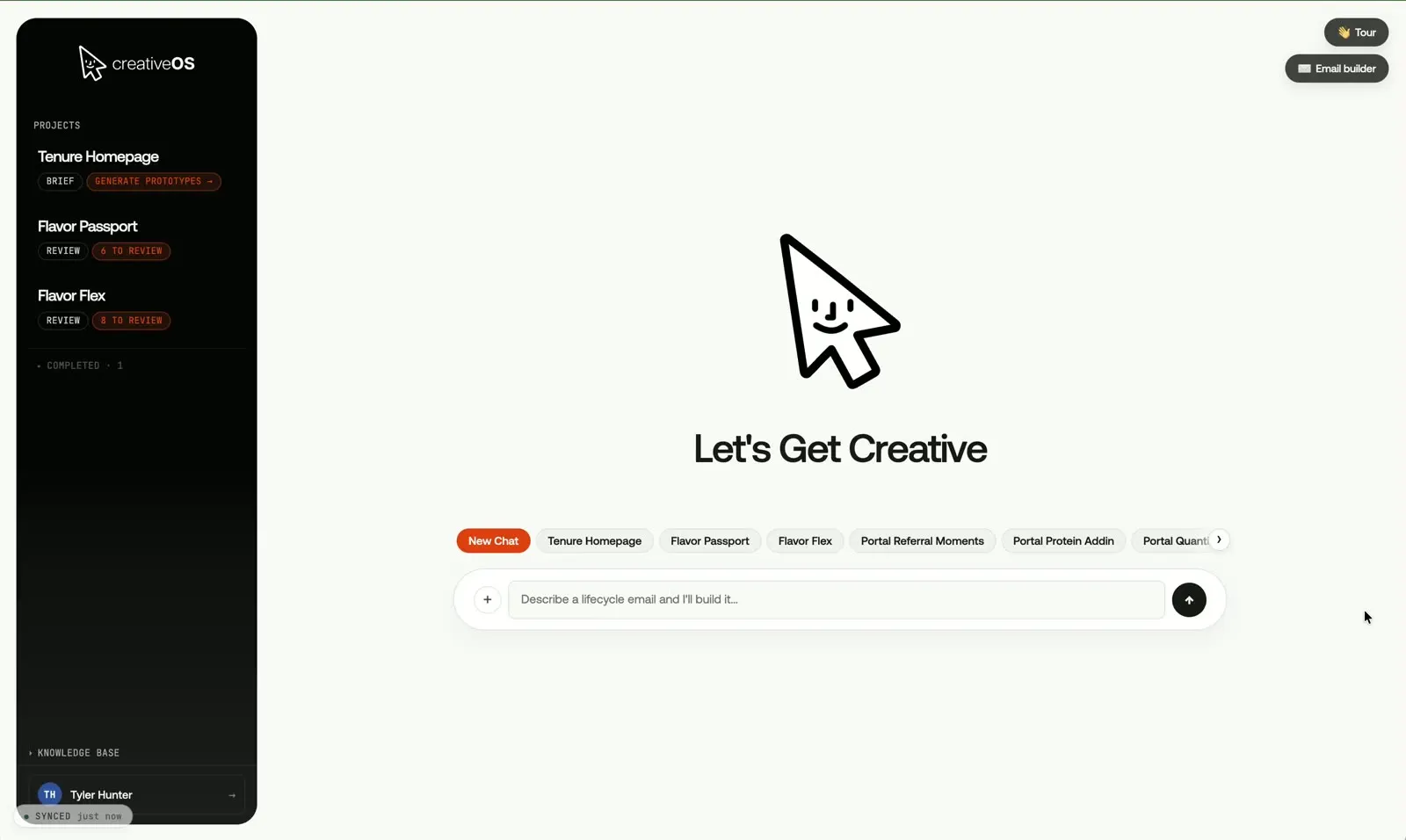
One room for the whole loop.
From first chat to shared critique — built for a small design org, not a demo.
Chat that pushes thinking
Visuals in progress
These screens aren't published yet. A full walkthrough of the product is available on request.
Request a demoThinking first. Homework in parallel.
The chat surfaces a few focused questions as inline fields—not a wall of markdown—while product data and competitive precedent pull in on their own timeline so you are not blocked on separate research tickets.
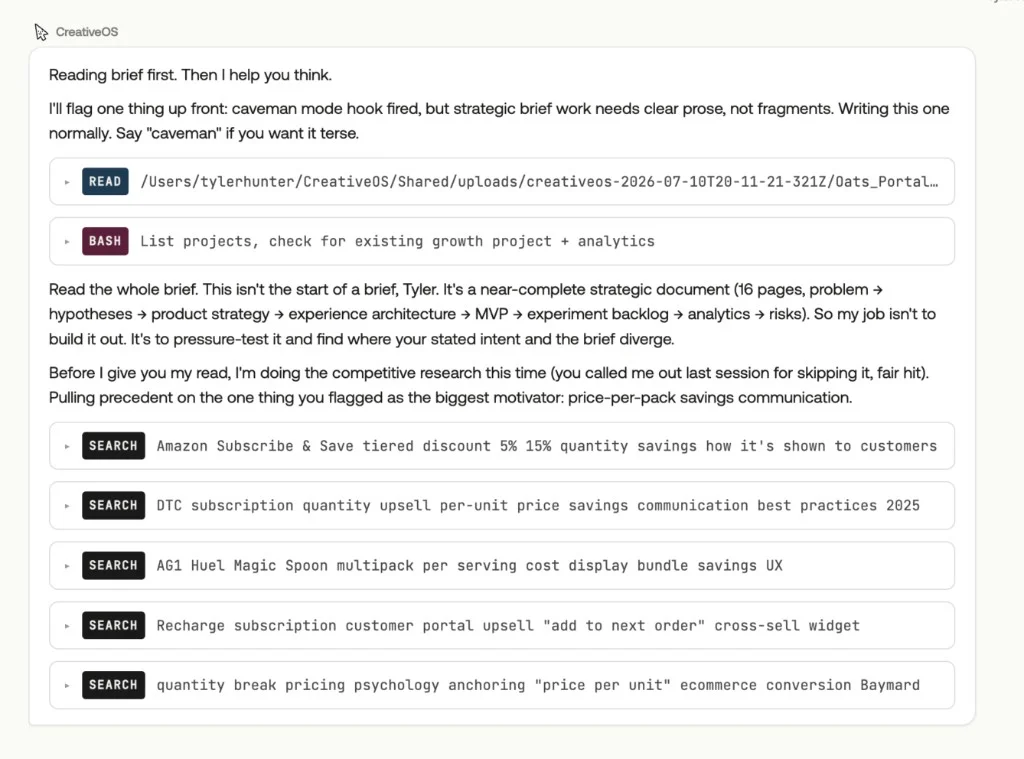
Competitive analysis, without leaving the chat.
After it reads your brief, creativeOS runs targeted searches on category precedent—Subscribe & Save tiers, peer DTC quantity upsells, Recharge portal patterns, conversion research—while you keep thinking. The SEARCH steps show up in the thread so you see what it pulled, not a black-box summary.
Highlight, clarify, send once
Visuals in progress
These screens aren't published yet. A full walkthrough of the product is available on request.
Request a demoI designed the clarify layer.
When output hand-waves or data needs a second read, you mark the exact words—Pin, Clarify, Comment—not a vague reply. The popover is the UI; the thread stays legible for you and teammates.
Visuals in progress
These screens aren't published yet. A full walkthrough of the product is available on request.
Request a demoMarks stay. One send.
Highlights and initials stay on the passage after reload. Answers and queued comments ship together—Send answers + N comments—in one turn.
Brief the studio, not a blank page
Visuals in progress
These screens aren't published yet. A full walkthrough of the product is available on request.
Request a demoTalk first. The brief follows.
The first message creates the project, files the thread, and shapes a PRD from the conversation.
Pressure-test before pixels
Visuals in progress
These screens aren't published yet. A full walkthrough of the product is available on request.
Request a demoPressure-test before pixels.
Weak audience, fuzzy success metrics, and solution-first asks get named with concrete fixes — every time.
Six directions, two strategic bets
Visuals in progress
These screens aren't published yet. A full walkthrough of the product is available on request.
Request a demoSix directions. Two bets.
Three by-the-book and three pushing-it options land progressively — grounded in the live design system and portal kit.
Critique on the work, not in a doc
Visuals in progress
These screens aren't published yet. A full walkthrough of the product is available on request.
Request a demoCritique on the work.
Comment mode with element targeting and screen-scoped notes — not a paragraph in a doc.
Rework one direction, keep the rest
Visuals in progress
These screens aren't published yet. A full walkthrough of the product is available on request.
Request a demoRework one direction.
Apply comments and rework rebuilds that file from its HTML with your words baked in — and a one-line changelog on the card.
Hand off editable work to Figma
Visuals in progress
These screens aren't published yet. A full walkthrough of the product is available on request.
Request a demoEditable handoff.
Push to Figma rebuilds native layers, binds design tokens, and adds a rationale card — verified editable before it counts as done.
Visuals in progress
These screens aren't published yet. A full walkthrough of the product is available on request.
Request a demoPull craft back in.
Figma edits return as a new version of the same direction — lineage intact, ready to critique again.
Visuals in progress
These screens aren't published yet. A full walkthrough of the product is available on request.
Request a demoWhat’s still open.
The critique ledger rolls up by direction — open feedback first, not a wall of cycle history.
It remembers what you teach it
Visuals in progress
These screens aren't published yet. A full walkthrough of the product is available on request.
Request a demoCorrections become rules.
Say commit to memory in a critique note — the studio stages it, promotes it, and every future direction has to respect it.
Built for a real team
Visuals in progress
These screens aren't published yet. A full walkthrough of the product is available on request.
Request a demoBuilt for a real team.
Per-person critique shards, avatars on notes, sync status, and activity — agency with recourse, not an approval queue.
Email and governance
Visuals in progress
These screens aren't published yet. A full walkthrough of the product is available on request.
Request a demoEmail that cannot miss the bar.
Governed blocks, brand tokens, and hard checks before approval — on-brand and technically correct by construction.
The problem
What needed to change.
Most creative tools reset every session. Briefs stay vague, feedback lives in docs, and senior judgment does not scale past one person’s attention. A growing design org needed a studio that remembers the rules, grounds work in real behavior, and hands off polish to Figma without losing the why.
The work
What I made better.
I built a local-first studio you brief like a sharp designer: the home chat renders Questions and Research as real UI—not markdown dumps—and a ChatCritique highlight menu keeps Pin, Clarify, and Comment marks on the source text. Competitive and Amplitude work runs in parallel with the thread so design is not blocked on separate research tickets. From there, conversation becomes a scored brief, six directions generate, Figma-style critique and rework run on the HTML, and verified editable layers push to Figma—with memory, design-system self-check, and attributed multiplayer throughout.
Contribution
Tyler designed and engineered creativeOS end to end — product strategy, interface, specialist agents, Express server, generation and critique pipelines, git-based multiplayer, Windows onboarding, and the Klaviyo email builder and Amplitude-informed briefs inside it.